Diabetes Food Chart Explained: How to Read the 3 Columns
Eat More, Limit, Avoid — what the three columns of the diabetes food chart really mean at the grocery store, in the kitchen, and at the table.
By the FreshListStudio Team · 6 min read · Informational guide — not medical advice
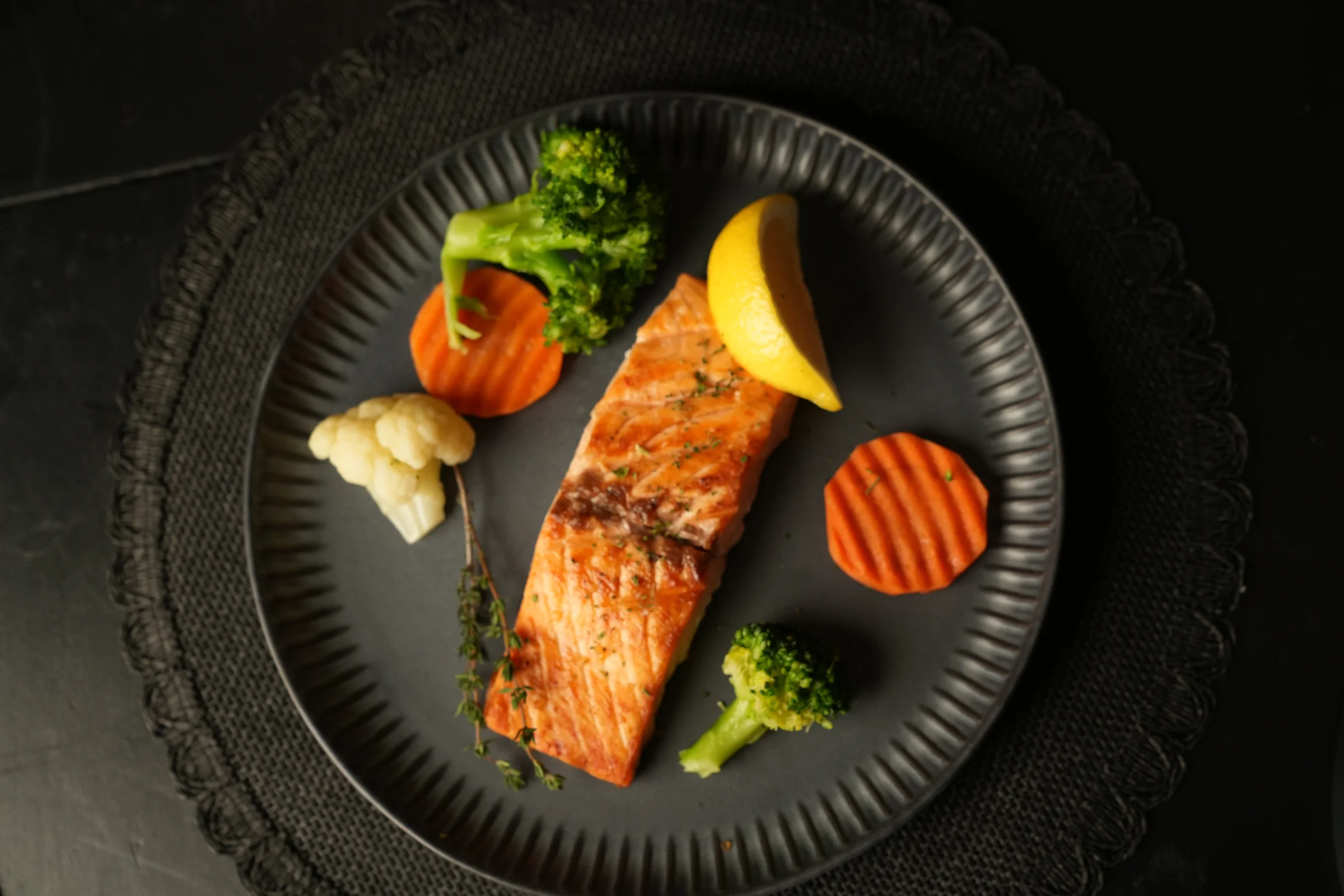
Grilled salmon fillet with broccoli, cauliflower and lemon — an Eat More column dinner. A chart-built plate: salmon and non-starchy vegetables from the green column, lemon and herbs for flavour.
About This Chart
A diabetes food chart takes the foods you actually buy and sorts them into three plain columns — no counting, no jargon.
- Eat More (green): build your meals and shopping list from these
- Limit (yellow): fine in small portions, paired with green-column foods
- Avoid (red): rare treats — the foods that spike blood sugar fastest
The chart is not a diet plan and it is not a rulebook. It is a sorting tool. Once you understand how the columns work, shopping and cooking get simpler.
How to Read the 3 Columns
Green — Eat More
These foods are high in fibre, protein or healthy fats and low in fast sugar: non-starchy vegetables, lean protein, beans, lentils, eggs, nuts, seeds and lower-sugar fruit.
Yellow — Limit
These foods are not “bad” — they are portion foods. Rice, pasta, bread, potatoes and higher-sugar fruit belong here: small portions, always paired with green-column foods.
Red — Avoid / Minimize
Sugary drinks, sweets, white-flour pastries, chips and sweetened cereals deliver fast sugar with almost no fibre or protein to slow it down.
The one rule behind all three columns: the slower a food releases its sugar, the greener it is. Fibre, protein and fat slow sugar down — that is the whole logic.
Using the Chart at the Grocery Store
- Shop the edges first. Produce, meat, fish and dairy usually line the store walls — and most of the green column lives there.
- Fill the cart green first. Vegetables, protein and beans go in before anything yellow or red is even considered.
- Read one number on labels: “added sugars”. If it is high, the food belongs in the red column whatever the packet claims.
- Yellow foods: buy the smallest sensible pack. Portion control is easier when the bag is small.
- Keep a photo of the chart on your phone. Most readers check it in the aisle, not at home.
The chart from this article, ready to print
The complete Diabetic Food Chart — all three columns, the plate method and 5 quick tips on one page.
Get the Printable Chart on Etsy
Loved by beginners — one page, fridge-ready.
Kitchen Tip: Put the Chart Where You Cook
Readers tell us the chart works best at eye level next to the stove — not in a drawer. You check it while you cook, which is when it matters.
5 Quick Tips for Using the Chart
- Sort, don’t ban. Every food gets a column. Nothing is forbidden — some things are just rare.
- Pair yellow with green. Rice is fine beside a big pile of vegetables and chicken. It is the lonely, heaped plate that spikes.
- Check drinks first. Sugary drinks are the fastest sugar there is. Swapping them is the single biggest red-column win.
- When unsure, add fibre. A handful of greens or beans with any meal slows the whole plate down.
- Review monthly. As your habits change, re-read the columns. Foods you used to limit may now be rare — that is progress.
Questions Readers Ask
1. Is the food chart the same as a meal plan?
No. The chart tells you which foods to build meals from; a meal plan tells you what to eat on specific days. Most beginners start with the chart, then add the 7-day meal plan once the columns feel familiar.
2. A food I eat is not on the chart. Which column does it go in?
Ask the one question behind the chart: how fast does it release sugar? High fibre, protein or fat and little added sugar points green; fast, refined sugar points red.
3. Can my whole family eat from the green column?
Yes — the green column is simply whole, everyday food: vegetables, lean protein, beans, eggs, nuts and fruit.
4. What size is the printable chart?
One page, supplied in both A4 and US Letter, designed to stay readable on a fridge door — big columns, clear headings.
5. Does the chart replace my doctor’s advice?
No. It is a general educational tool. Your medication, targets and personal needs always come first — follow your own care team.
Free: the Diabetes Grocery Checklist
The chart turned into a shopping list — every Eat More food, organised store by store, on one printable page. To request your free checklist, email freshstudiolive@gmail.com with the subject “Diabetes Grocery Checklist”. One helpful email a week. No spam, unsubscribe anytime.
Disclaimer: This article is for general information and education only and is not medical advice. It does not replace professional medical advice, diagnosis or treatment. Always seek the advice of your doctor or another qualified health professional with any questions about a medical condition.